Your engagement, in one place.
Every CSG client gets a private workspace at kickoff. Project status, findings, documents, scan results, a direct message thread with the engagement team, and invoices, one login, no scavenger hunt across inboxes and shared drives.
Included with every engagement. No extra fee, no per-seat license, no third-party vendor.

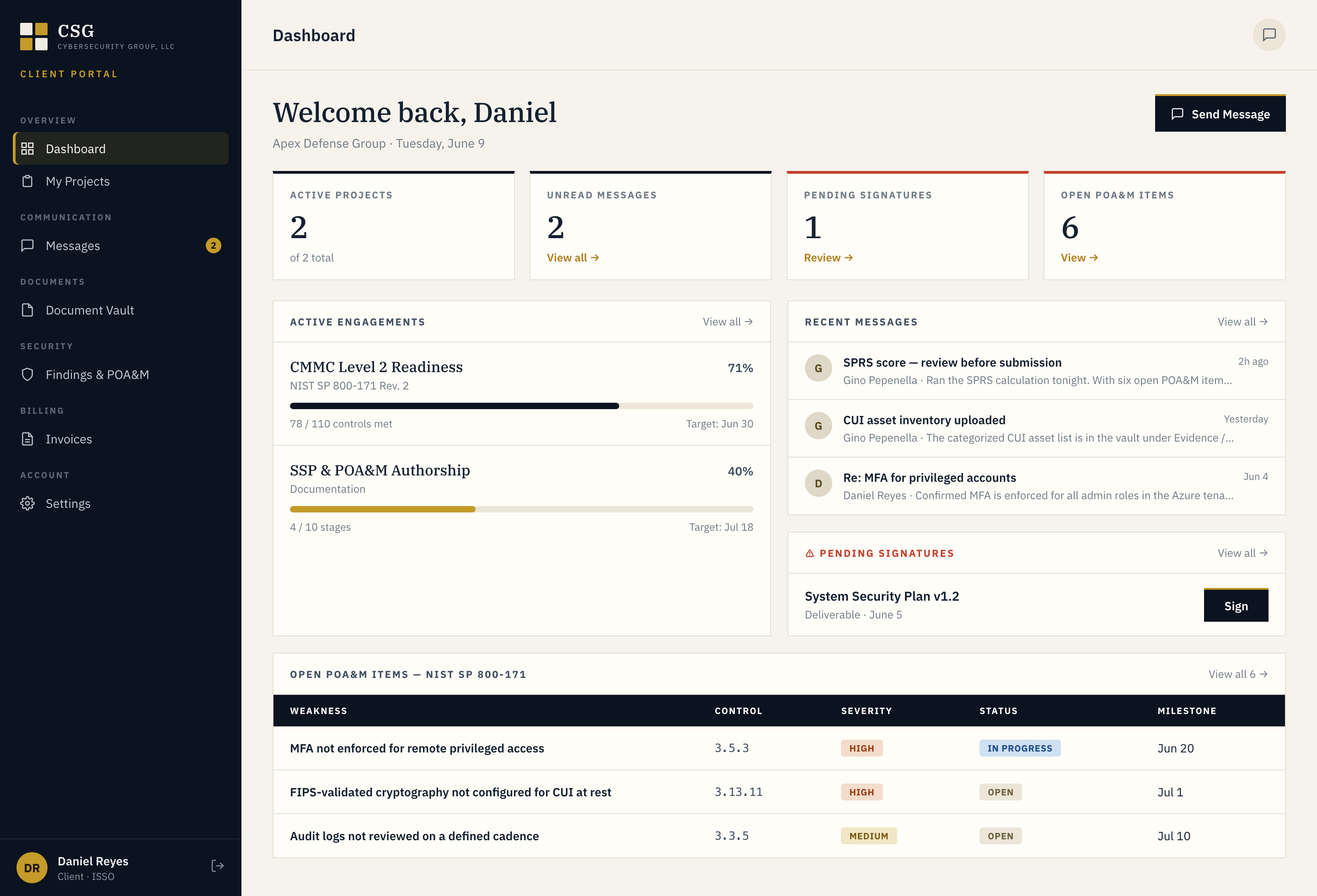
Seven modules. One workspace.
One screen for the whole engagement
Active projects with percent complete, open findings by severity, pending signatures, and unread messages. Open the portal and know where things stand in ten seconds.
Stages, owners, target dates
Every engagement is broken into stages with the next milestone and target date visible. No "where are we on the SOC 2" emails. The answer is on the screen.
Every finding, every fix, every status
Critical, High, Medium, Low. Each finding has a description, a recommendation, an owner, a due date, and a current state. Filter to Critical and High and you have your remediation standup.
SOWs, NDAs, policies, reports
Sign contracts and policies in the browser. Download source files any time. Every version is retained. When the auditor asks for evidence, you already have the link.
Tool output, parsed and ranked
Nessus, Tenable, and other scanner output brought in, deduplicated, and ranked by severity, not dumped as a 400-page PDF. Click a finding to see the host, the evidence, and the recommended fix.
A direct thread with the engagement team
No shared inbox, no rotating account manager, no ticket queue. Messages reach your engagement lead directly. The thread stays attached to the project so context doesn't get lost between calls.
Every invoice, every payment
Invoices, status, and payment history in one place. ACH, wire, card, or purchase order. Pay from the portal, no chasing PDFs from accounting.
Named logins, role-based access
Your COO, your IT lead, your counsel, each gets their own credentials and sees only what their role needs. Everything logged. Everything reversible. Off-boarding a user takes one click.
Not a GRC suite. Not a ticket tool.
The portal isn't a product we're selling you a license to. It's the delivery surface for the work you hired CSG to do. No per-user fees. No second contract. No separate vendor relationship.
It isn't a replacement for your internal tools either. It's the single place where the engagement lives, so your Jira, your ITSM, and your ticketing stay yours, and the consulting work doesn't end up fragmented across five systems.
Log in or get credentials.
Credentials are issued at kickoff. If you're a client and don't have access, email info@cybersecuritygp.com and we'll set you up the same day.